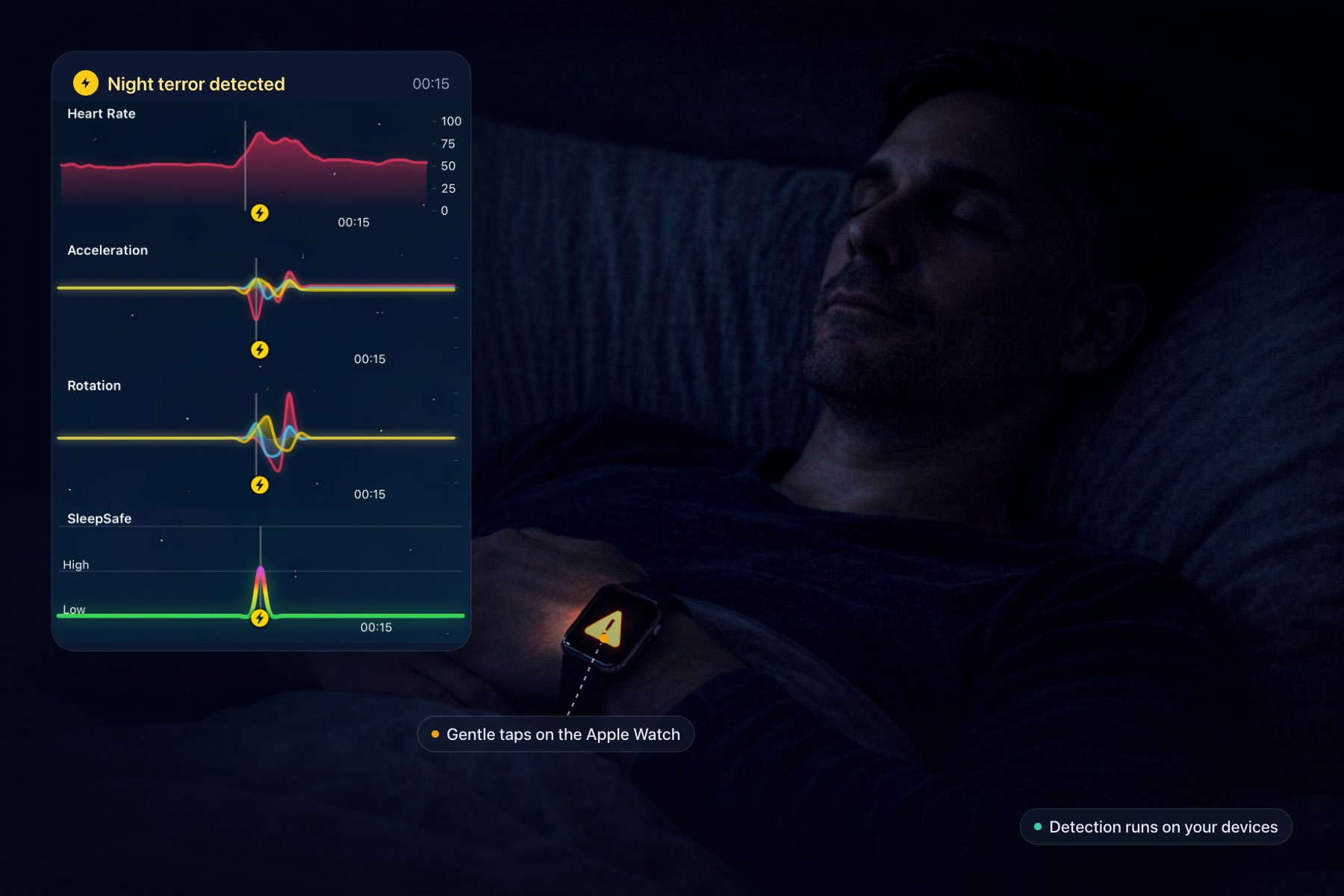
A person asleep wearing an Apple Watch, beside a SleepSafe readout of a night terror showing heart rate, acceleration, rotation and the SleepSafe risk line.
A nightmare does not only happen in the mind. Before it wakes you, the body reacts: the heart speeds up, movement changes, breathing shifts. Research on sleep and PTSD has shown that this physical signature can be measured.
SleepSafe is built around catching it. This is a look at how it does that, in plain terms, including the parts that are not perfect.
Three signals at once
While you sleep, SleepSafe listens in three different ways. Any one of them can flag a disturbance.
A model that reads heart rate and movement. On your Apple Watch, a machine-learning model looks at your heart rate and motion together, looking for the pattern of a nightmare as it begins. The Watch samples movement about once a second while you lie still, and up to four times a second when you move, dropping back after a minute of stillness. The model runs entirely on the Watch.
A check for sudden spikes. Night terrors often come with a dramatic jump in heart rate. SleepSafe flags one when your heart rate rises by 75 beats per minute or more above its lowest point in the previous 30 seconds. Note that it is a rise, not a number: someone resting at 55 would need to reach 130.
Sound, if you want it. With audio monitoring switched on, your iPhone listens for sounds like screaming, crying and gasping. The recognition happens on the phone itself, and the audio is never uploaded. When it hears something, your Watch asks a simple question: are you in distress?
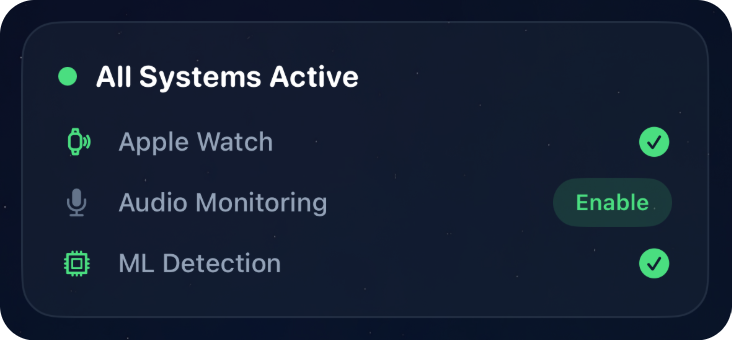
While a session runs, your iPhone shows which of these are active, so you can see at a glance that the Watch is connected and detection is running.
What a night terror looks like to the Watch
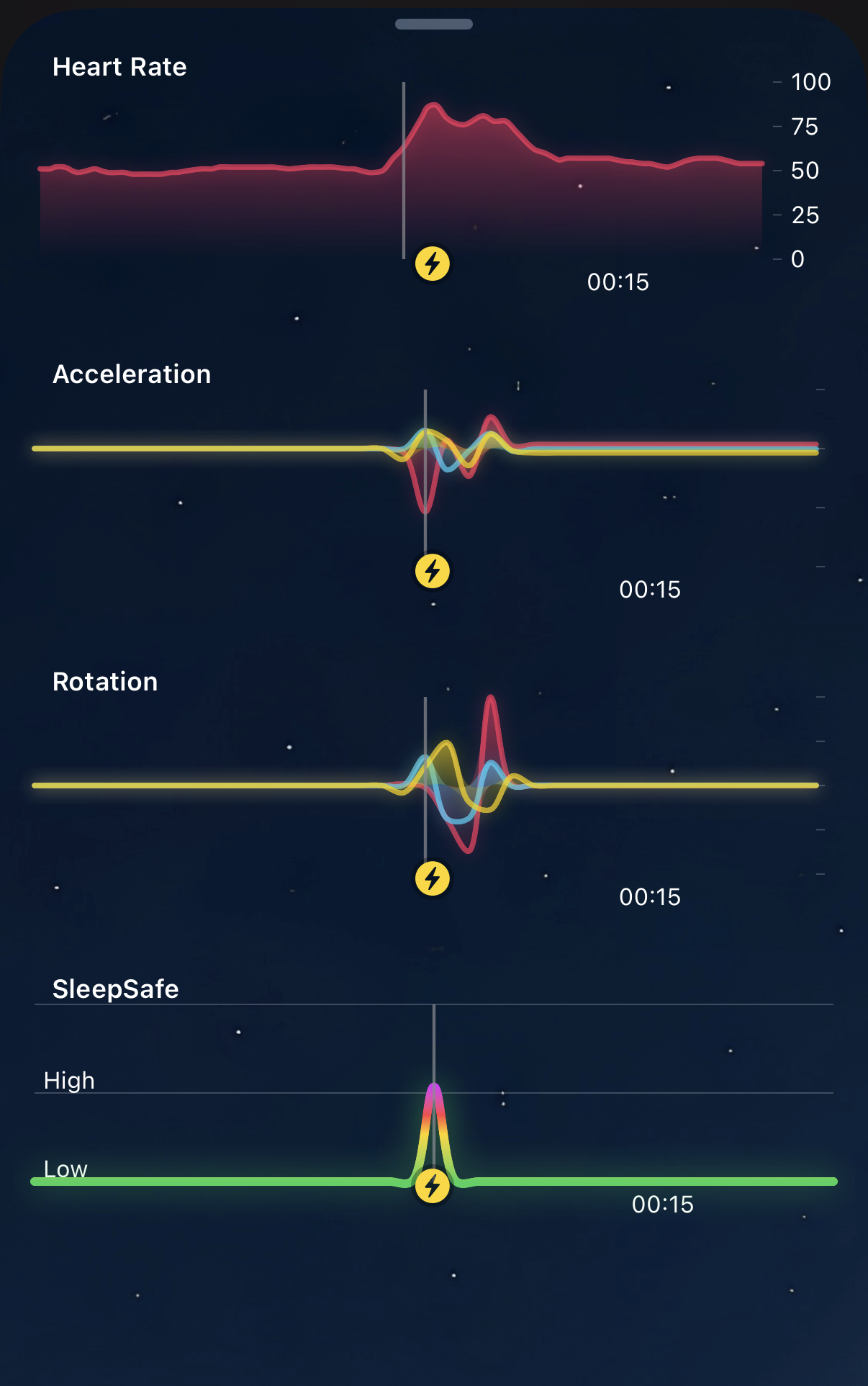
This is a real night terror, as SleepSafe recorded it. Heart rate climbs sharply. Acceleration and rotation, the two ways the Watch measures movement, burst at the same moment. And the SleepSafe line at the bottom, its own reading of the risk, jumps from low to high.
None of the signals alone tells the whole story. Together they draw a clear shape, and that shape is what SleepSafe learns to recognise.
The first 20 minutes
Every session starts with a 20-minute warm-up. Falling asleep is naturally restless, and the last thing you need while drifting off is a tap on the wrist. The warm-up keeps SleepSafe quiet while you settle.
During the warm-up, the model needs stronger evidence than usual, and that bar eases back to normal over the 20 minutes. The heart-rate spike check and sound detection are paused completely.
So there is nothing to plan around. Start monitoring when you go to bed, and SleepSafe will leave you in peace while you fall asleep.
When something is detected
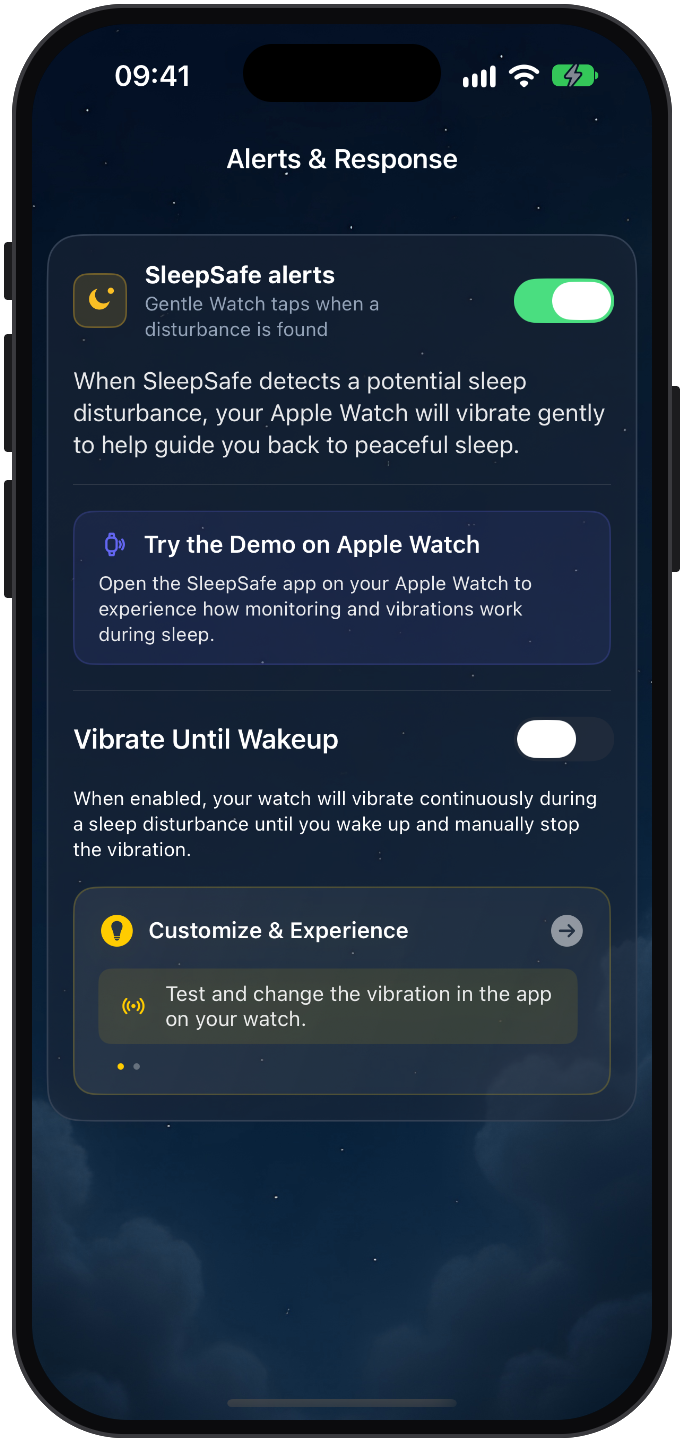
Your Apple Watch responds with gentle taps, designed to ease you out of the episode rather than jolt you awake. If you would rather be woken fully, the Vibrate Until Wakeup setting keeps the Watch vibrating until you wake and stop it yourself.
You can feel it before you need it: the demo on your Apple Watch shows what monitoring and the taps are like while you are still awake.
You can also decide how readily SleepSafe reacts. Alert sensitivity has three levels: Low, for fewer, more confident alerts; Balanced, recommended for most people; and High, which catches more subtle disturbances.
Honest about false alarms
No detector reads a sleeping body perfectly. SleepSafe is deliberately tuned to miss less rather than to never make a mistake, because a missed nightmare costs more than an unnecessary tap. That means you will sometimes get a tap you did not need.
When that happens, tell it. In the morning, SleepSafe asks you about the moments it flagged: yes, it was; no, false alarm; or I'm not sure. Each event then carries one of four labels. Protected means SleepSafe caught it and intervened. False Alarm means you said nothing happened. Reported means you woke from a nightmare that SleepSafe missed. Unknown means you could not say.
Those answers are not just housekeeping. Over time, they are how SleepSafe learns what your own nights look like.
What stays on your devices
The detection itself runs on your Apple Watch and iPhone, and it works without an internet connection. Sound is analysed on the phone and never uploaded. Your sleep history is kept in your own iCloud, not on SleepSafe's servers. More on privacy.
What it cannot do
SleepSafe cannot see a nightmare that leaves no trace in heart rate, movement or sound, and it needs the Watch on your wrist to see anything at all. What it can do is notice the early signs of a bad night, respond gently, and keep an honest record of what happened.
SleepSafe is a wellness app, not a medical device. It does not diagnose or treat any condition.
Common questions
- How does SleepSafe detect nightmares?
- An on-device machine-learning model on the Apple Watch reads heart rate and movement, a separate check flags sudden heart-rate spikes, and optional audio monitoring on the iPhone recognises sounds like screaming or crying.
- Why did SleepSafe not flag anything in the first minutes?
- By design. Each session starts with a 20-minute warm-up so SleepSafe does not disturb you while you fall asleep. During it, the model needs stronger evidence and heart-rate spike and sound detection are paused.
- Does SleepSafe upload my audio?
- No. Sound is analysed on your iPhone and never uploaded.
- What should I do about a false alarm?
- Mark it as a false alarm in the morning report. Those answers help SleepSafe learn your nights, and you can also lower the alert sensitivity.